一、分析 H&E 图像的细胞数目
步骤概览
-
新建 QuPath 项目,导入 H&E 图像(
.svs,.qptiff,.tif等)。 -
设置 Color Deconvolution Stains(默认 H&E)。
-
Analyze → Preprocessing → Estimate stain vectors或手动选择预设 “H&E”。
-
-
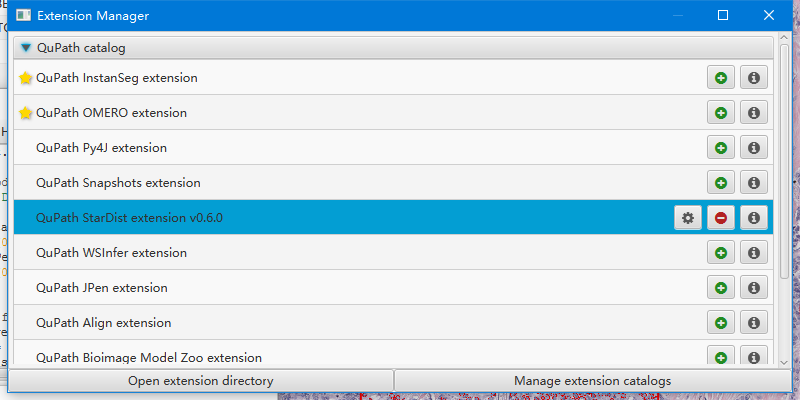
安装 StarDist 扩展,准备好模型(如
he_heavy_augment.pb)。 -
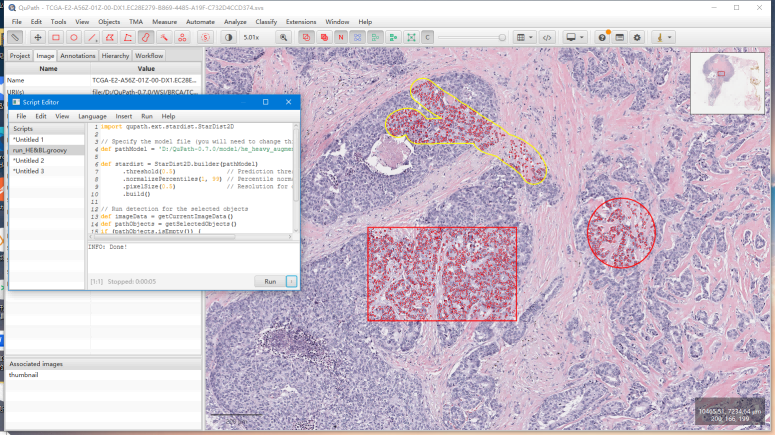
运行检测脚本(下面给出模板)。
-
查看细胞数目:左侧 Hierarchy → Detections 标签,右下角会显示计数;或通过测量表导出。
可直接运行的脚本(H&E)
import qupath.ext.stardist.StarDist2D
// Specify the model file (you will need to change this!)
def pathModel = 'D:/QuPath-0.7.0/model/he_heavy_augment.pb' //下载地址:https://github.com/qupath/models/tree/main/stardist
def stardist = StarDist2D.builder(pathModel)
.threshold(0.5) // Prediction threshold
.normalizePercentiles(1, 99) // Percentile normalization
.pixelSize(0.5) // Resolution for detection
.build()
// Run detection for the selected objects
def imageData = getCurrentImageData()
def pathObjects = getSelectedObjects()
if (pathObjects.isEmpty()) {
Dialogs.showErrorMessage("StarDist", "Please select a parent object!")
return
}
stardist.detectObjects(imageData, pathObjects)
println 'Done!'
二、分析荧光图像的细胞数目
步骤概览
-
新建 QuPath 项目,导入荧光图像(
.czi,.nd2,.tif等)。 -
确认通道名:在 Image → Channels 里看到
DAPI,FITC等。 -
准备单通道模型(如
dsb2018_heavy_augment.pb)。 -
运行检测脚本(下面给出模板)。
-
统计并导出细胞数目。
可直接运行的脚本(荧光)
import qupath.ext.stardist.StarDist2D
import qupath.opencv.ops.ImageOps
def pathModel = 'D:/QuPath-0.7.0/model/dsb2018_heavy_augment.pb' //下载地址:https://github.com/qupath/models/tree/main/stardist
// 自动提取第一个通道(假设是核染色)
def stardist = StarDist2D.builder(pathModel)
.preprocess(
ImageOps.Channels.extract(0) // 取第一个通道
)
.threshold(0.5)
.normalizePercentiles(1, 99)
.pixelSize(0.5)
.build()
def imageData = getCurrentImageData()
def pathObjects = getSelectedObjects()
if (pathObjects.isEmpty()) {
Dialogs.showErrorMessage("StarDist", "Please select a parent object!")
return
}
stardist.detectObjects(imageData, pathObjects)
println 'Done!'
三、通用技巧与注意事项
-
pixelSize 一定要匹配图像分辨率
-
在 QuPath 右下角状态栏可以看到
Pixel width/height(µm/pixel)。 -
脚本里的
.pixelSize(...)要和这个值一致,否则检测不准或报错。
-
-
threshold 调节
-
值低 → 检出多,可能有假阳性
-
值高 → 检出少,可能漏检
-
建议在 0.3–0.7 之间微调。
-
-
批量处理多张图
-
把所有图加入同一个 QuPath 项目。
-
选中所有图片(
Project标签里多选),运行脚本,每张图会自动检测并计数。
-
-
导出汇总表(Python 分析)在 QuPath 中:
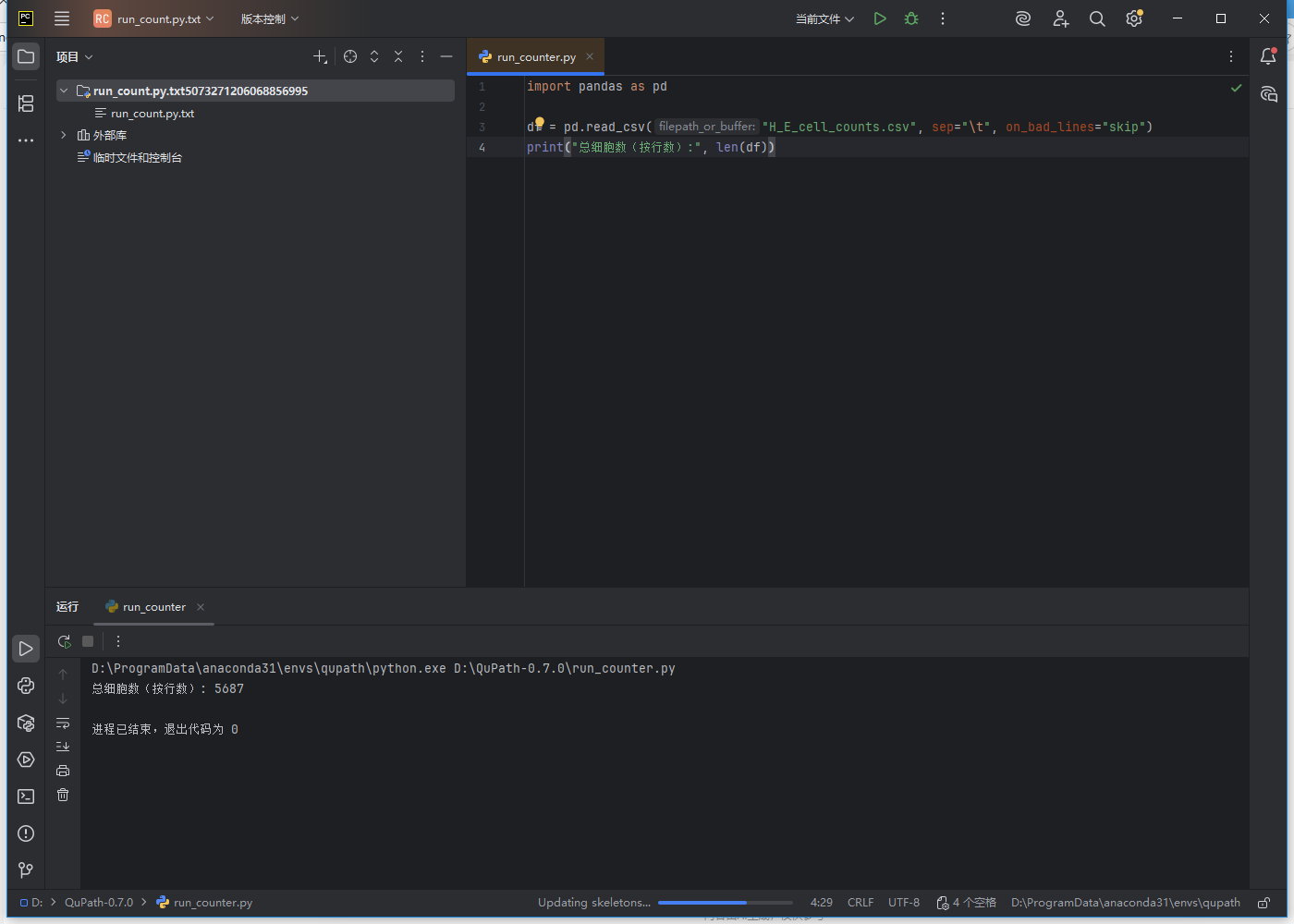
Measure → Show detection measurements→ 保存为 CSV。然后在 Python 中用 pandas 汇总不同图像的计数:
import pandas as pd
df = pd.read_csv("H_E_cell_counts.csv", sep="\t", on_bad_lines="skip")
print("总细胞数(按行数):", len(df))
安装StarDist插件
分析的结果
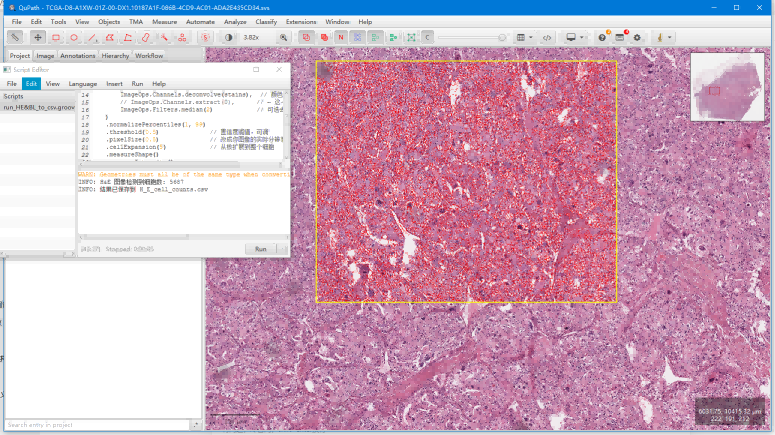
数据
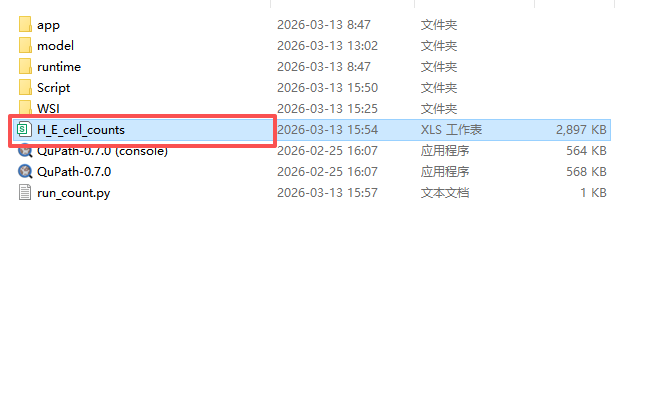
python运行成功